Notice: Image2CodeAI is winding down. Existing users can keep using the app while their current subscription remains active. New signups are closed.
Why Tailwind CSS?
Tailwind CSS has become the most popular utility-first CSS framework. Our AI converter generates clean Tailwind code that follows best practices.
Utility-First CSS
Generates clean Tailwind utility classes without custom CSS or inline styles
Mobile-First Responsive
Includes responsive variants (sm, md, lg, xl) for all screen sizes
Color Accuracy
Extracts exact colors and maps them to Tailwind's color palette
Modern Layouts
Uses Flexbox and Grid utilities for clean, maintainable layouts
Design to Tailwind in Seconds
Watch Image2CodeAI transform your design into clean HTML with Tailwind CSS utility classes. No more writing CSS from scratch - just upload your design and get production-ready Tailwind code.
- Pure utility classes, no custom CSS
- Responsive breakpoints included
- Flexbox and Grid layouts
- Accurate color mapping
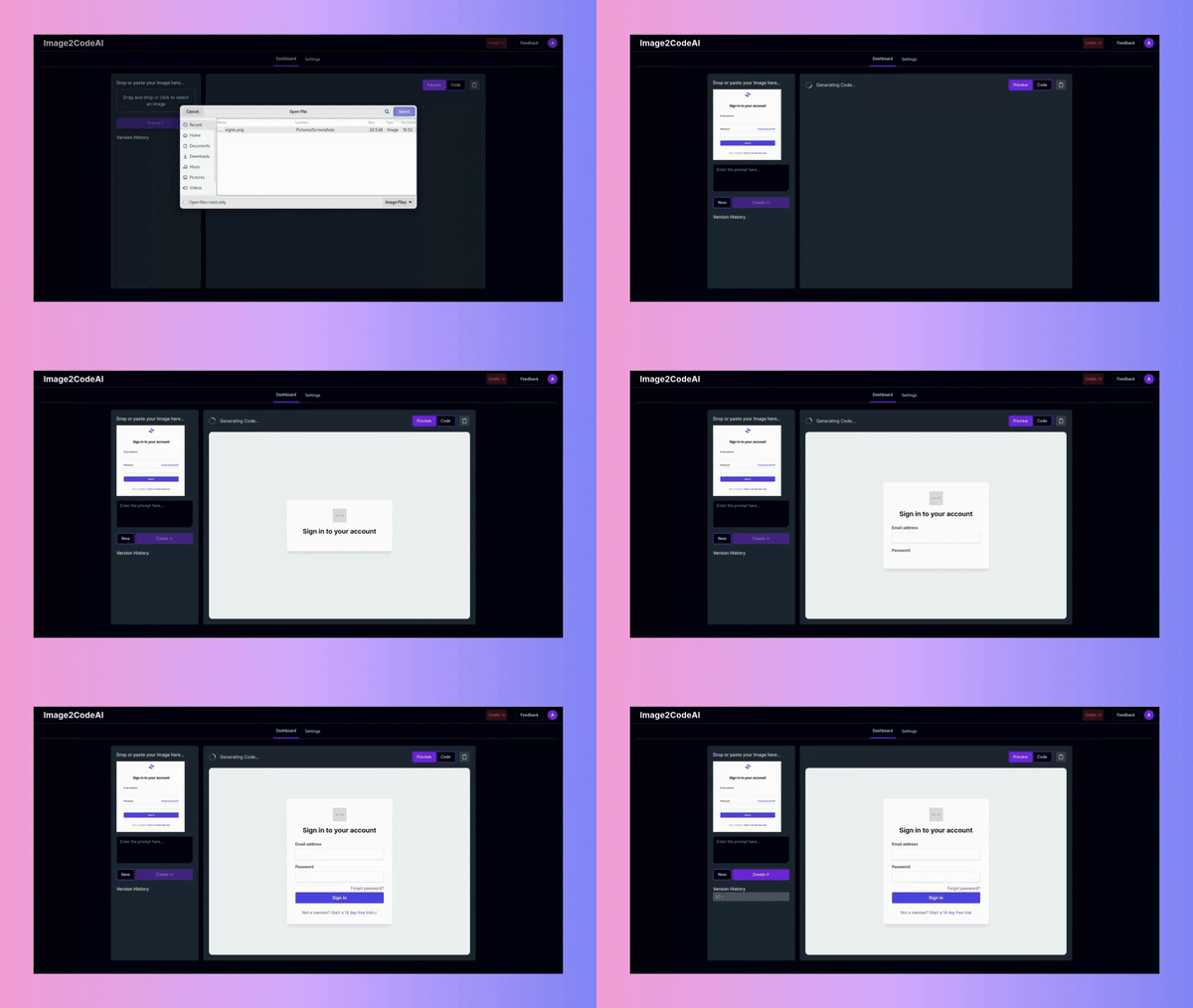
How to Convert Image to Tailwind
Transform any design into clean HTML with Tailwind CSS in four simple steps.
Upload Your Design
Drag and drop any design image - screenshots, Figma exports, wireframes, or mockups. We support PNG, JPG, WEBP, and other common image formats for maximum flexibility.
Select Tailwind Output
Choose 'HTML + Tailwind CSS' as your output format. This generates semantic HTML with Tailwind utility classes - no separate CSS files needed.
Generate Tailwind Code
Click Generate and watch the AI analyze your design. Within seconds, you'll see clean HTML with Tailwind classes that match your design's layout, colors, and typography.
Customize and Use
Use prompts to refine: 'use my primary color', 'add hover states', 'make it a grid layout'. Then copy the code into your Tailwind-enabled project and customize further.
Benefits of Tailwind Output
Why developers prefer Tailwind CSS for their projects.
No CSS Files to Manage
All styling lives in your HTML with Tailwind classes. No separate stylesheets, no naming conventions to worry about, no CSS specificity issues.
Consistent Design System
Tailwind's utility classes enforce consistency. Spacing, colors, and typography automatically align with your design system.
Easy to Customize
Need to change a color or spacing? Just update the utility class. No hunting through CSS files or worrying about cascade effects.
Production Ready
Generated code is optimized for production. Tailwind's purge feature removes unused classes, keeping your bundle size minimal.
Tailwind Features We Generate
Our AI understands the full range of Tailwind CSS utilities and generates appropriate classes for your design.
Flexbox Utilities
Layouts use flex, items-center, justify-between, and other Flexbox utilities for robust alignment
Grid Support
Complex layouts use CSS Grid utilities like grid-cols-3, gap-4, and col-span-2
Spacing System
Consistent spacing with Tailwind's scale: p-4, m-2, space-y-4, gap-6
Typography Classes
Text styling with font-bold, text-lg, leading-relaxed, tracking-tight
Color Utilities
Background, text, and border colors mapped to Tailwind's palette or arbitrary values
Responsive Prefixes
Mobile-first responsive design with sm:, md:, lg:, xl: breakpoint prefixes
Works With Any Tailwind Project
The generated code works seamlessly with any project that uses Tailwind CSS.
Frequently Asked Questions
Common questions about converting images to Tailwind CSS code.