Why Convert Images to HTML?
HTML and CSS remain the foundation of the web. Our AI converter helps you go from visual design to working HTML code without the tedious manual coding.
Clean HTML5 Output
Generates semantic, well-structured HTML5 code following modern web standards
Accurate CSS Styling
Captures colors, fonts, spacing, and layouts with high precision
Responsive Design
Built-in media queries ensure your HTML looks great on all devices
Structured Layouts
Uses Flexbox and CSS Grid for modern, maintainable layout structures
From Design to HTML in Seconds
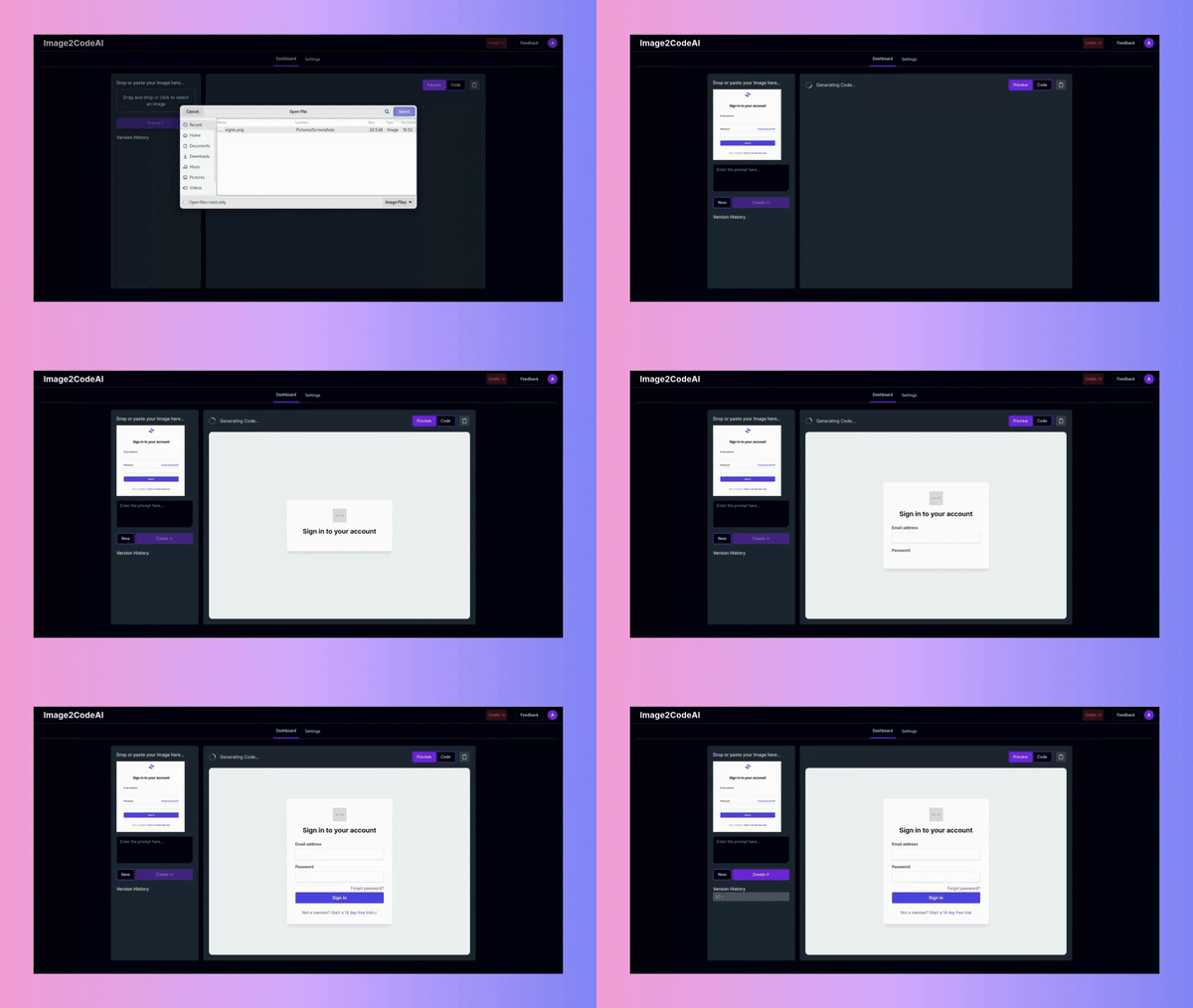
Watch Image2CodeAI analyze your design and generate pixel-perfect HTML and CSS. Our AI understands modern web layouts, ensuring your code uses appropriate semantic elements and CSS techniques.
- Semantic HTML5 elements (header, nav, section, etc.)
- Flexbox and CSS Grid layouts
- Responsive media queries included
- Cross-browser compatible CSS
How to Convert Image to HTML
Transform any visual design into clean, standards-compliant HTML and CSS in four simple steps.
Upload Your Design
Drag and drop your image file or click to browse. We accept screenshots, mockups, wireframes, and design exports from tools like Figma, Sketch, or Adobe XD.
Choose HTML + CSS
Select 'HTML + CSS' as your output format. This generates clean HTML5 with inline CSS styles that you can easily customize or extract into separate stylesheets.
Generate Your Code
Click Generate and watch the AI analyze your design. In seconds, you'll see a side-by-side preview comparing your original image with the generated HTML output.
Refine and Download
Use natural language prompts to make adjustments: 'add more padding', 'make the header sticky', 'change button color to blue'. Then copy the code or download the HTML file.
Popular Use Cases
Discover how developers and teams use Image2CodeAI to accelerate their HTML development workflow.
Landing Page Development
Convert marketing designs into responsive landing pages in minutes. Perfect for agencies handling multiple client projects or startups testing new landing page concepts.
- Rapid prototyping
- Consistent design implementation
- Easy A/B testing setup
Email Template Creation
Transform email designs into HTML email templates. While you may need to adjust some CSS for email client compatibility, Image2CodeAI gives you a solid foundation.
- Quick template creation
- Inline CSS for email compatibility
- Responsive email layouts
Design Handoff Acceleration
Speed up the design-to-development handoff process. Designers can export their work as images, and developers get a working code foundation instantly.
- Faster development cycles
- Reduced communication overhead
- Accurate design implementation
What You Get
Our HTML output is designed for real-world use, not just demos. Here's what makes our generated code production-ready.
Standards-Compliant HTML5
Our AI generates valid HTML5 that passes W3C validation. Proper document structure, semantic elements, and accessibility attributes are included by default.
Modern CSS Techniques
Layouts use Flexbox and CSS Grid for robust, maintainable structures. Colors, fonts, and spacing are extracted accurately from your design.
Responsive by Default
Media queries are automatically included to ensure your HTML adapts to different screen sizes. Mobile-first approach available on request.
Clean, Readable Code
Generated code is properly indented and organized. Class names are descriptive, making it easy to understand and customize the output.
Frequently Asked Questions
Common questions about converting images to HTML code.